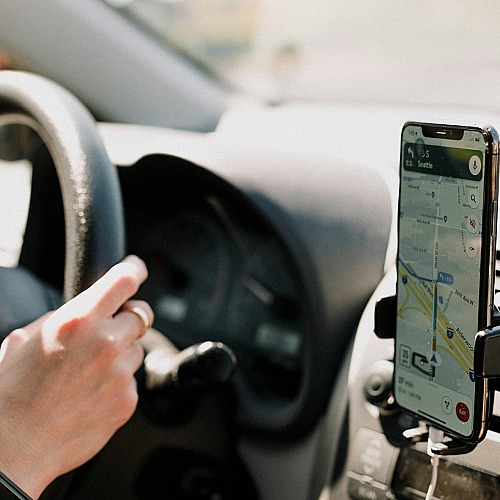
Search “best travel apps” and the results are exhausting. Most lists recommend 20, 30, sometimes 50 apps organized by category, leaving readers to figure out which ones matter. The result is a phone full of icons that never get tapped after the first day of a trip. The real problem is not finding travel apps. It is identifying the few that earn their storage space and configuring them before you leave the house.
The Cost of App Overload
Most travelers download a handful of apps before a trip and use only a fraction of them. The rest sit unused, eating storage and adding visual noise to the home screen. The deeper cost shows up at the worst possible moments. Standing in a customs line trying to set up an eSIM on airport Wi-Fi. Fumbling for a translation app while a vendor waits. Realizing the offline maps were never downloaded.
The fix is restraint. A small, intentional set of apps, configured before departure, beats a long list every time. The six below solve the six problems most travelers encounter.
Six Travel Apps That Earn the Space
Getting Lost Without Data
Cell service abroad is unreliable, expensive, or both. Google Maps solves this with offline maps that work without any connection at all. Download them before you leave. Tap your profile picture in the top right corner, select “Offline maps,” choose the area you want, and let it save while you’re still on home Wi-Fi. Once downloaded, driving navigation and restaurant searches work without data.
Real-time transit info covers most major cities when you’re online. Treat the offline download as part of pre-departure prep, like packing a charger.

Flight Chaos and Itinerary Juggling
Two apps, two distinct jobs. FlightAware tracks flights in real time and offers free flight status alerts for departures, arrivals, cancellations, gate changes, delays, and diversions. The free tier supports up to five active alerts at a time. Available on both iOS and Android, with a free tier and an optional premium subscription that unlocks the full feature set. Especially valuable when connections are tight.
TripIt handles the itinerary side of things. Forward confirmation emails (flights, hotels, rental cars, restaurant reservations) to a single address, and the app builds a chronological trip plan accessible offline. No more digging through inbox threads at the gate. The free TripIt tier covers most travelers; the Pro tier adds its own flight alerts and seat-finder tools for those who want consolidation in one app.
Overpaying Because You Cannot Do the Math
Mental currency conversion is harder than it sounds, especially after a long flight. XE Currency provides a clean converter and live exchange rates pulled from financial data providers and reputable banks. Recent updates have made the offline feature unreliable, so screenshot the rate you need before heading into spotty service. Markets, taxis, and street vendors are the use cases that justify the download. Anytime a vendor offers to charge a card in a traveler’s home currency at the point of sale, the answer should be no, since the merchant’s rate is almost always worse than the bank’s.
Being Unreachable Internationally
Outside the United States, WhatsApp is often the default communication channel. Accommodation hosts, tour operators, drivers, and local guides regularly use it as their primary contact method. Bookings get confirmed there. Pickup details get sent there. Travelers without it routinely miss messages that would have arrived on time elsewhere. Free over Wi-Fi or cellular data, with voice and video calling built in. Not optional for international travel.
Roaming Charges and No Data
Airalo sells eSIM data plans for 200+ countries and regions, downloadable to a phone before departure. Tap to activate on landing, skip the SIM-swap dance at the airport kiosk, and pay a fraction of what most home carriers charge for international roaming. One compatibility note: eSIMs require a phone that supports them. Most recent iPhones and many Android flagships do, but older devices may not. Worth checking before purchase.
Language Barriers
The camera feature is the standout. Point the phone at a menu, a street sign, or a pharmacy label, and Google Translate overlays a translation in real time. Conversation mode handles back-and-forth dialogue between two languages. Download language packs before departure for offline use, which matters most in the moments service drops or data runs low. Nearly 250 languages supported.
Pre-Departure Prep Beats Airport Wi-Fi
The pattern across all six apps is the same. Download, configure, and test at home, where Wi-Fi is fast and time isn’t pressing.
Save offline maps in Google Maps
Install the eSIM through Airalo
Forward confirmation emails to TripIt
Add WhatsApp contacts for accommodation hosts
Download language packs in Google Translate
The airport Wi-Fi line is not the place to sort any of this out, and the cost of skipping prep usually shows up at the worst possible moment.
Travel Lighter, Travel Smarter
The best travel apps are the ones configured before departure and ready when the Wi-Fi is not. Download less, prepare more.
All details were verified at the time of publication and may change without notice. Please confirm current information before making a purchase.



Leave a Comment
Your email address will not be published. Required fields are marked *